




























Lighting and Color: Techniques to Make Scale Models Pop

Lighting and Color: Techniques to Make Scale Models Pop
Scale modeling is a field where precision, texture, and storytelling collide. A beautifully painted model can look impressive in hand, but when you bring lighting into the equation, you unlock a whole new level of depth, realism, and•pop." The right lighting setup and color choices can reveal texture, suggest atmosphere, and guide the viewer's eye to the most important details. This guide covers practical techniques you can apply to a wide range of scales and subjects-from aircraft and cars to figures and dioramas-so your models read clearly, look alive, and feel cinematic. Whether you're photographing for a gallery, social media, or a contest, these lighting and color strategies will help your scale models pop.
1) Understanding the basics: light, color, and scale
Before you touch a light, it helps to have a mental map of how lighting affects scale. Light creates shape, texture, and mood. It also interacts with paint finishes-gloss, satin, or flat-differently, influencing reflections and contrast. Color is not just•what color is the model"; it's how color temperature, saturation, and surrounding colors shape perception. When you combine lighting with color thoughtfully, you separate the subject from the background, emphasize edges, and convey a narrative or era.
Key concepts to keep in mind:
- Direction: Where light comes from changes how surface detail appears. Side lighting exaggerates texture; front lighting flattens it; backlighting creates separation.
- Quality: Hard (direct) light sharpens shadows; soft (diffused) light broadens shadows and reveals more texture.
- Quantity: The amount of light affects exposure and how much detail you can recover in highlights and shadows. Too little light hides detail; too much can wash out color and texture.
- Color temperature: Measured in kelvin (K). Warm light (~2700-3200K) makes yellows and ambers glow; cool light (~5000-6500K) emphasizes blues and grit. Mixed temperatures can be powerful but tricky.
- White balance: Your camera setting that determines how colors render under different light. Matching white balance to the dominant light source helps colors stay true or intentionally shift for effect.
Scale matters: small objects reflect light differently than large ones. Glossy paints, metallics, and bare plastics pick up every highlight more sharply at close range. The backdrop and environment also affect perception: a dark, textured studio backdrop will read differently than a light, neutral one. The goal is to curate light and color so the viewer's eye moves where you want it to-usually toward the focal details, like a cockpit, a weathered panel line, or a dramatic weathering transition.
2) Light sources and equipment: building a versatile lighting toolkit
A robust lighting setup doesn't have to be expensive. A few reliable tools can cover a broad range of looks. The most important factors are control (adjustable intensity and direction), color accuracy (CRI), and the ability to shape light (diffusion, modifiers).
Core gear to consider:
- Continuous LED panels or daylight-balanced bulbs: Easy to position, dimmable, and low heat. Look for high CRI (95+ is ideal) for faithful color rendering.
- Light diffusers: Softboxes, diffusion sheets, or diffusion tents soften shadows and reveal fine textures.
- Reflectors: White, silver, or gold reflectors bounce light back onto your model to fill shadows and adjust color warmth.
- Light modifiers: Grids, snoots, barn doors, and flags help control spill and shape the beam.
- Small tripods or clamps: Positioning flexibility is crucial for tight spaces and diorama setups.
- Color gels or RGB lights: For intentional color shifts, warming or cooling the scene, or simulating environmental color (sunrise, sunset, city lights, etc.).
- Backdrop and support: A clean, simple background or a contextual diorama backdrop can dramatically affect how•pop" reads.
Three practical lighting setups you'll use frequently:
- Three-point lighting (a classic): Key light as the main angle, fill light to soften shadows, and backlight to separate the subject from the background. For scale models, you can push the backlight closer to the rim light to emphasize edges without flattening texture.
- Side lighting with a soft fill: A strong sidelight highlights panel lines and texture; a subtle fill on the opposite side preserves detail without creating a flat look. This works well for weathered armor or aircraft with complex surface textures.
- Backlit or rim-lit scenes: A light behind the model creates a bright edge, which helps the model pop against a dark or busy background. Combine with a weak fill from the front to retain surface detail.
Tips for shooting with limited gear:
- Shoot with the brightest light source at a 30-45 degree angle to the side for strong texture without overwhelming color.
- If you only have one light, place it to create a natural shadow pattern (a single key with a subtle fill).
- Use a diffuser whenever possible to avoid harsh, specular highlights that can obscure fine paintwork and weathering.
- Consider a small tabletop light tent or a carboard•light box" to enclose the model and control spill.
3) Color theory for scale models: temperature, palettes, and contrast
Color is the language of mood and narrative. In scale modeling, color choices extend beyond camo or markings; they influence how your model communicates age, environment, and purpose. Here are practical color strategies to help your models glow on camera.
White balance and color temperature
- Match white balance to the dominant light source. If you shoot under daylight bulbs, set WB to around 5200K. If your key light is warm tungsten, adjust to 3200-3500K and rely on gels to maintain color accuracy.
- If you want a cool, cinematic look, push white balance slightly toward blue and balance with warm accents on the subject.
Color palettes and contrast
- Complementary colors can help details stand out. For example, a warm, earthy camouflage against a cool blue-gray sky or shadow.
- Analogous color schemes (colors next to each other on the color wheel) can feel cohesive; use them for diorama environments where you want the model to integrate with the background.
- Saturation control matters: scale models can look artificial if all colors are ultra-saturated. For weathered surfaces, slight desaturation with occasional saturated accents (decals, insignia, or a bright instrument panel) creates focal points.
Color from environment and reflections
- Reflective surfaces pick up color from nearby objects. A blue backdrop will tint highlights on a white fuselage, while a warm-lit diorama base can cast a gentle amber glow on greys and greens. Use this to your advantage or counteract with white balance adjustments.
- Avoid color casts that mute essential details. If your lights introduce a color cast you don't want, correct in camera or via post-processing to recover accurate details in the most important areas.
Texture and finish color interaction
- Gloss and metallic paints respond differently under various lighting. Gloss surfaces amplify highlights; satin or flat finishes scatter light softly and reveal subtle weathering. For pop, you'll often want a controlled specular highlight on raised edges to emphasize form.
- Metallics can glow with a small highlight rather than a broad wash of color. Use a narrow beam or snoot to create micro-reflections that sell realism.
4) Modifiers and setups: shaping light for texture and detail
Modifiers aren't just cosmetic; they determine how light strokes across your model. The right modifier can magnify texture, reveal micro-scratches, and separate the subject from the background without destroying color accuracy.
Softening and diffusion
- Use diffuse material to soften shadows. Softboxes or diffusion fabric over a light panel create a broad, gentle light that reveals subtle panel lines and weathering without harsh glare.
- A lightweight diffusion sock or parchment placed in front of a small LED can create a wraparound glow that's forgiving on weathered textures.
Direction control
- Grids and barn doors shrink the beam and prevent spill. They're essential when you want to keep light focused on precise details like a cockpit interior or a cockpit instrument panel.
- Snoots concentrate light into a narrow beam, ideal for rim highlights or a pinpoint reflection on rivets and seams.
Color shaping
- Gel filters or RGB lights let you stage colored atmospheres, such as a diesel glow from a running engine or sunset hues reflecting off chrome. Use gels sparingly to avoid overpowering true color and texture.
- For a controlled color bounce, combine two or three soft light sources with different color temperatures and use a reflector to balance the result.
Background control
- A smooth black or dark gray backdrop provides maximum separation for bright highlights. It also reduces color spill from the background onto the model.
- A neutral gray or subtle gradient backdrop can emulate concrete, sky, or horizon while maintaining brightness on the model.
5) Practical setups for common subjects and scales
Different scales and subjects benefit from tailored lighting and color approaches. Here are practical setups you can adapt to armor, aircraft, ships, cars, and figures.
Armor and weathered military models (1:35, 1:48)
- Key light: A slightly high, oblique key at 30-45 degrees to emphasize raised edges and rivets. Use a diffuser to soften.
- Fill: A dimmer fill on the opposite side to reveal panel lines without washing them out.
- Backlight: A weak rim light to separate from the background; consider a cool tone to simulate desert or foggy environments.
- Color accents: Subtle greens or yellows on weathering powders. Use small amounts of neutral gray to avoid color cast.
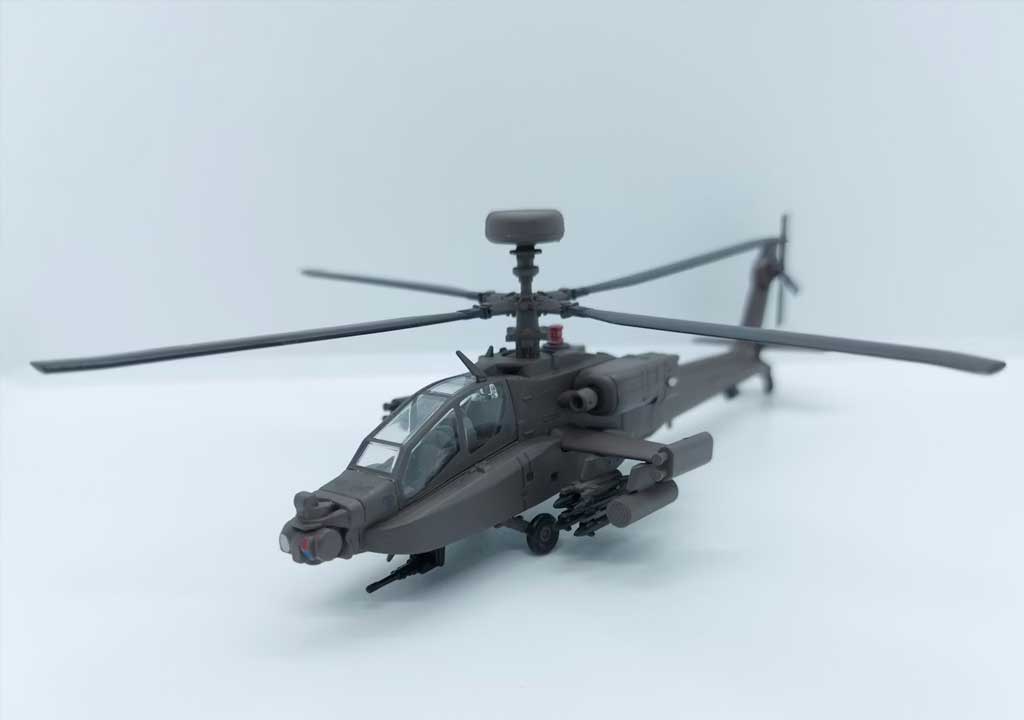
Aircraft (especially fighters and bombers)
- Front lighting with wrap: A large, diffuse front light minimizes harsh reflections off canopies and polished surfaces.
- Canopy highlights: A secondary light or a carefully aimed light at the canopy to reveal the transparency without causing glare.
- Cockpit illumination: A tiny internal light (LED) or a warm gel to simulate cockpit lighting inside the canopy for a believable glow.
- Background: A cool backdrop or a sky gradient to simulate outdoors; keep reflections consistent with the background.
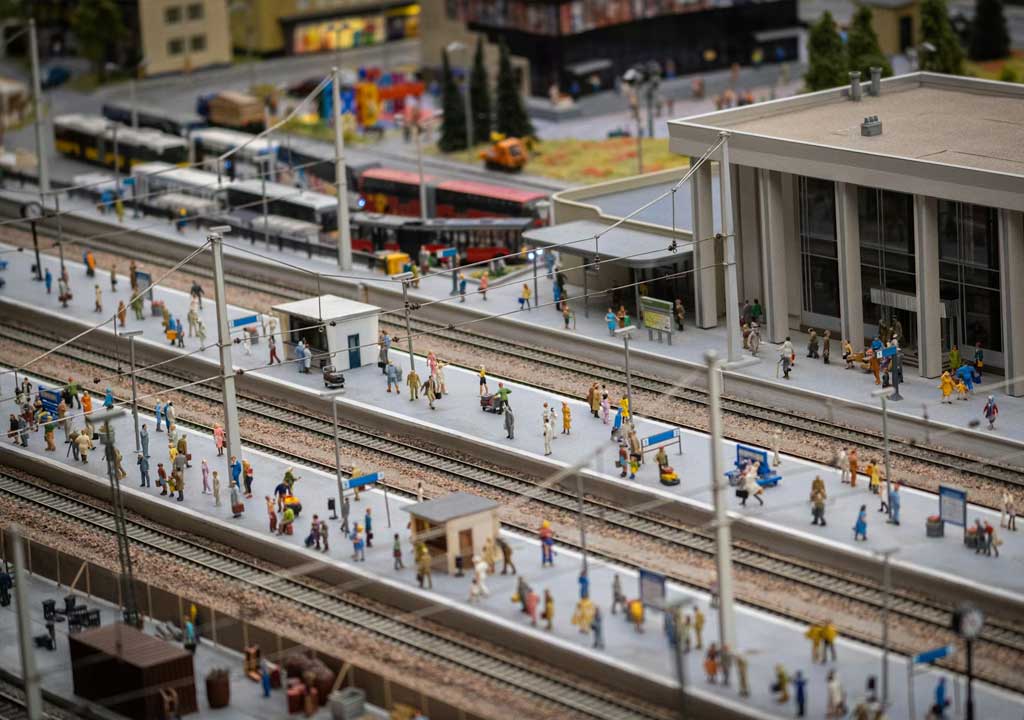
Ships and dioramas
- Environmental lighting: Simulate sunlight with a broad key that casts long shadows. Use a cooler fill to mimic daylight.
- Water and reflections: If your diorama includes water, use a low-angle light with a blue hint to simulate reflection. A separate light for the water surface can create convincing shimmer.
- Weather effects: Add subtle rim lighting on hulls to emphasize curvature and surface texture.
Cars and automotive models
- Gloss control: For shiny finishes, use diffusion to prevent blown highlights. A controlled specular highlight along body edges can enhance shape.
- Interior lighting: A small, warm key for the interior and instrument panel details can make the model feel inhabited.
- Background choice: A white or light gray backdrop with a gentle gradient helps metallics stand out.
Figures and diorama characters
- Portrait-style lighting: A soft key at 45 degrees, a gentle fill on the opposite cheek, and a light rim behind the figure to separate it from the base.
- Skin tones: Ensure color balance stays natural; you can introduce a slight warm tone to mimic indoor lighting or a cooler tone for outdoor scenes.
- Ground plane: Subtle shadows on the base enhance realism; avoid overpowering the figure with heavy shadows.
6) Post-processing and color grading: finishing touches that preserve realism
Post-processing is not about masking mistakes; it's about preserving the look you captured and nudging color and contrast to highlight the model's best features. A careful workflow will help you keep texture details and avoid oversaturation.
Color and tone management
- Shoot in RAW if possible to capture the full dynamic range.
- Use a calibrated monitor and consistent white balance during editing.
- Adjust exposure, contrast, and white point to preserve detail in highlights and shadows.
Selective color and vibrance
- Saturation tends to exaggerate colors in tiny scale details; use selective saturation or vibrance to boost key colors (e.g., camouflage accents, pilot suits) without washing out the rest.
- Be mindful of color casts introduced by lighting. If you see a color shift after capture, correct it globally or regionally.
Texture and clarity
- A light sharpness or clarity pass on the model can enhance fine lines and rivets. Apply sparingly to avoid halo artifacts.
- Luminance noise reduction is often helpful in higher-ISO shots, especially if you were using small light setups.
Background and environment
- If you used a complex backdrop, consider toning it down in post so the model remains the primary focus.
- Add a subtle vignette to draw the viewer's eye toward the center or through the most important details.
7) Common pitfalls and troubleshooting: quick fixes
Even experienced modelers encounter lighting challenges. Here are some common issues and how to address them quickly.
- Overexposed highlights on white or light-colored surfaces: Move the light away, diffuse more, or add a bounce card with neutral color to reduce hot spots.
- Unwanted color casts: Check your white balance and consider using a neutral backdrop. If color casts persist, adjust with gels or in post.
- Flat appearance: Add a rim or backlight to separate the model from the background. Increase side lighting to emphasize texture.
- Harsh shadows on small features: Introduce diffusion or a reflector to soften. A second fill light can reduce contrast without washing out details.
- Inconsistent lighting across a diorama: Use uniform color temperature for all lights or intentionally vary temperatures for mood; ensure background elements reflect consistent light direction.
Practical troubleshooting checklist
- Take a quick test shot at the initial setup and review on a larger display. Look for hotspots, color shifts, and edge details.
- If the model has reflective chrome, experiment with a brighter diffused light to control glare.
- Use macro focusing and a small aperture to keep fine textures sharp; lighting should be aligned with focus distance to prevent blurring or focus falloff.
8) Quick-start checklist: a practical workflow you can follow
Use this checklist to plan and execute lighting for a scale model shoot, ensuring you cover essential steps without getting overwhelmed.
Before shooting
- Define the story or mood: military realism, diorama narrative, or pure display.
- Choose a background and base that complement the subject (neutral gray, black, or a contextual but not overpowering scene).
- Gather a versatile set of lights (2-3 sources), diffusers, and reflectors.
- Decide on a color palette and whether you'll use gels or color-tuned LEDs.
During shooting
- Start with a soft key light at a 30-45 degree angle.
- Add a fill light at a lower intensity to reveal details without flattening.
- Introduce a backlight or rim light to separate the model from the background.
- Consider a secondary light for cockpit, instrument panel, or reflective accents.
- Keep whites and light colors balanced; adjust white balance to a reasonable baseline (e.g., 5200K) and tweak as needed.
Post-processing
- Shoot at multiple exposure levels if possible to capture full tonal range.
- Normalize color and exposure while preserving texture.
- Apply selective sharpening, micro-contrast, and gentle color grading to emphasize the focal areas.
Conclusion: crafting visuals that make scale models pop
Lighting and color aren't afterthoughts in scale modeling; they are essential tools for storytelling and realism. By understanding how light direction, quality, and color temperature shape perception, you can transform a good model into a standout image. Start with a flexible lighting kit, compose scenes with intention, and use color deliberately to guide the viewer's eye toward your model's most compelling features. Practice with different scales, finishes, and environments, and you'll discover an ever-expanding palette of looks-from gritty, battle-worn realism to pristine, high-contrast displays. With thoughtful lighting and color choices, your scale models will not just exist in a frame; they'll leap off the page and into the viewer's imagination.
LIKED THIS ARTICLE? SHARE IT: